Settings
In the Settings menu, you can customize your gaming experience to improve performance or adjust the interface to your liking.
Interface Overview

Settings Icon
Click this to adjust your game preferences
Available Settings

Orb Particles
Enable/Disable SP Orbs dropped by enemies

Boss Spawned
On-screen notification when a boss spawns

Boss Defeated
On-screen and chat notifications when a boss is defeated

Wind Lines
Show/Hide visual wind effects

Hide Other Chests
Hides chests opened by other players

Music
Enable/Disable in-game background music

SFX
Toggle general animations (helps reduce lag)

Orb SFX
Toggle only Orb animations (helps reduce lag)
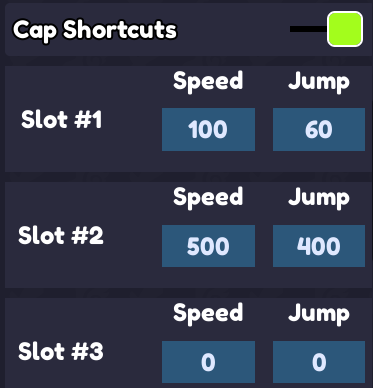
Cap Shortcuts
Toggle 3 shortcuts for Speed/Jump (Keys 1, 2, 3). Setting the value to 0 will activate your maximum speed/jump when pressed.
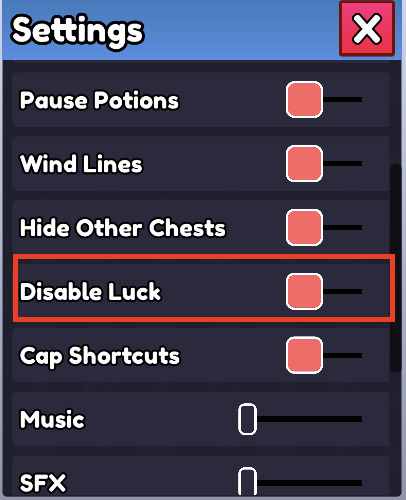
Disable Luck
Toggles luck-based effects on or off. Unlike other settings, this one is not saved between sessions, it always resets to enabled when you rejoin, so players don't accidentally leave their luck off.
- Hide Armor: Want to show off your character instead of your gear? You can now hide your armor from here.
- Update Logs: You can access update logs anytime from this menu.
User Stats Screen
Some players were confused about how stats work and whether they're working correctly, so a "Stats" button was added to the Settings menu. Clicking it opens the User Stats screen, which shows your current stat multipliers (Skill Point, Luck, Attack Damage, Magic Power, Health Regen, Health, Lifesteal, etc.).
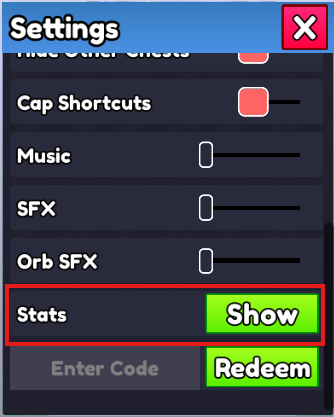
Stats Setting
Click "Show" to open your Stats Screen
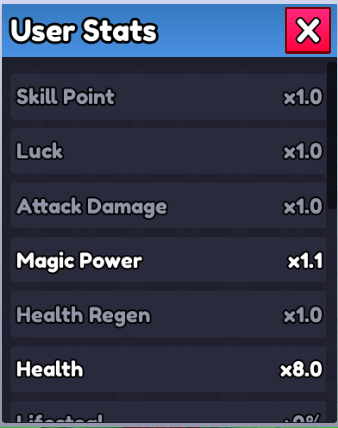
User Stats
Shows your current stat multipliers